Live demo · Built by TECHMA
Unified inbox for Gmail and Outlook, with an AI assistantTwo mailboxes, one desk.
InboxPilot puts your Gmail and Outlook mail in one list, sorts each email on arrival, and gives you a summary, a reply draft and answers about any message. You read less, answer faster, and nothing waits for you unseen.
One click, no account, no email address asked. The mailboxes are samples, and nothing you send leaves the page.
- Mailboxes
- 2Gmail and Outlook in one list
- AI helpers
- 3Summary, reply draft, questions
- Languages
- 2English and French, every screen
- Sign-up
- 0The demo opens in one click
01The problem
The mail is not hard. Finding it is.
A client writes to the old Gmail address, a supplier to the Outlook one on the invoice. Each inbox looks fine on its own. Together, they hide what is waiting.
Two inboxes, two habits
You check one carefully and the other when you remember. The client who wrote to the second one waits three days for an answer.
Long threads, little time
A conversation of eight messages hides one question in the middle. Reading it all again before every reply eats the morning.
Answers start from zero
The same questions come back every week: when can you visit, what does it cost, did you get my invoice. Each answer is typed again.
02The mailroom
From arrival to answered, in one app
Each part is useful on its own. Together they make sure every email is read, understood and answered.
- 01One inbox for Gmail and OutlookBoth mailboxes in one list, each email stamped with where it arrived.
- 02Sorting on arrivalA category and what each email asks for, with no rule to write.
- 03Email summariesThe key facts and the next step of a conversation, in two sentences.
- 04AI reply draftsA reply in your tone, ready to edit. You always send it yourself.
- 05Ask about an emailWhat do I still need to answer? When is the visit? Ask in plain words.
- 06Search both mailboxesOne search box for names, words and file names in both accounts.
- 07Waiting for youEvery conversation where the last word is theirs, in one filter.
- 08Contacts from your mailEveryone who wrote or got a reply, built from the mail itself.
- 09Mail reportMail per day, who waits, who writes most, how fast you answer.
- 10Your rules for the assistantPlain instructions for summaries, drafts and questions, and a switch for each.
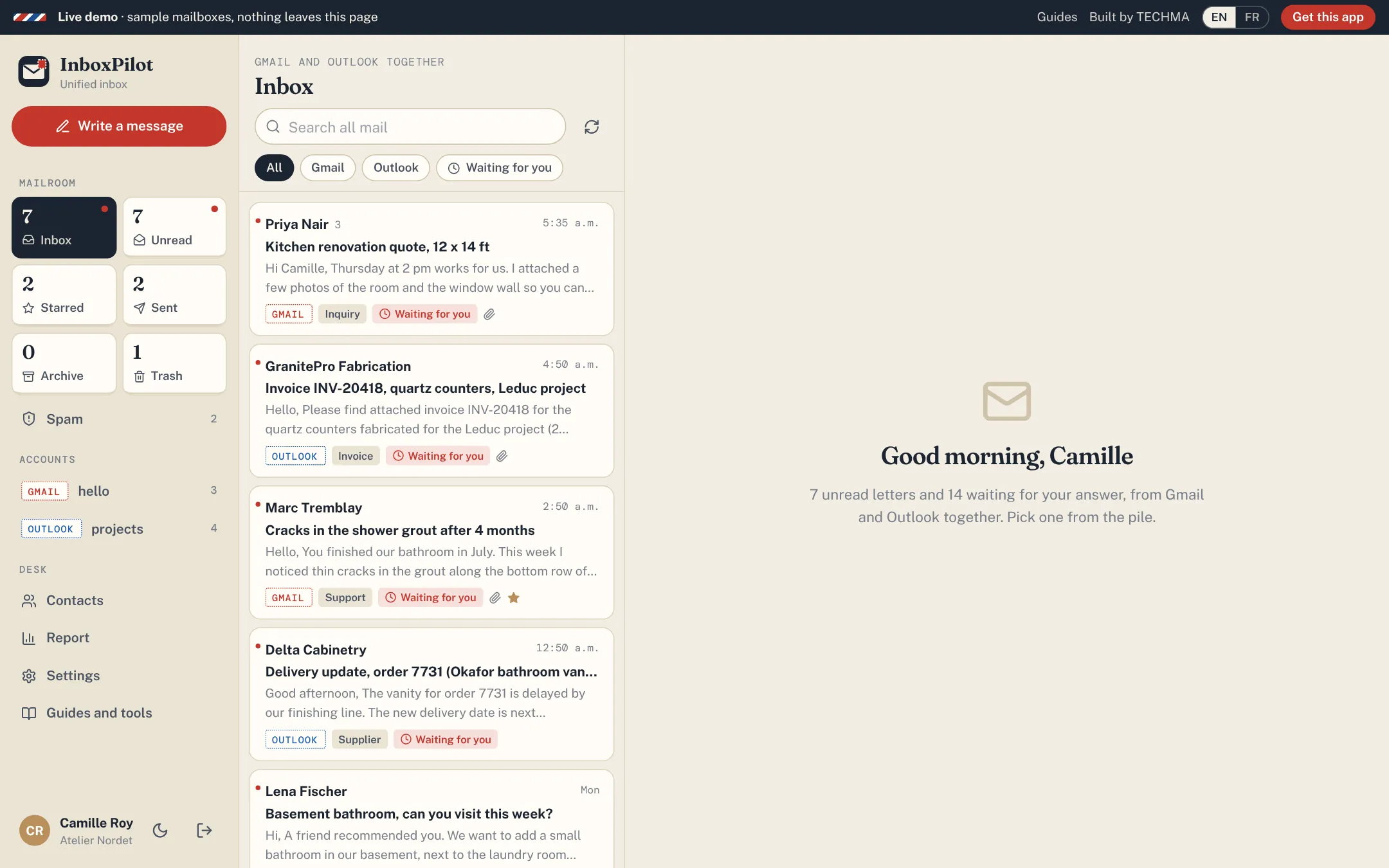
On arrival
Every email, sorted before you open it
Each conversation carries the stamp of its mailbox, a category and what it asks for. The ones where the last word is theirs are marked as waiting for you.
- Gmail and Outlook in one list, or one at a time
- Categories such as project, inquiry, invoice, supplier
- A filter for what still needs your answer
When you answer
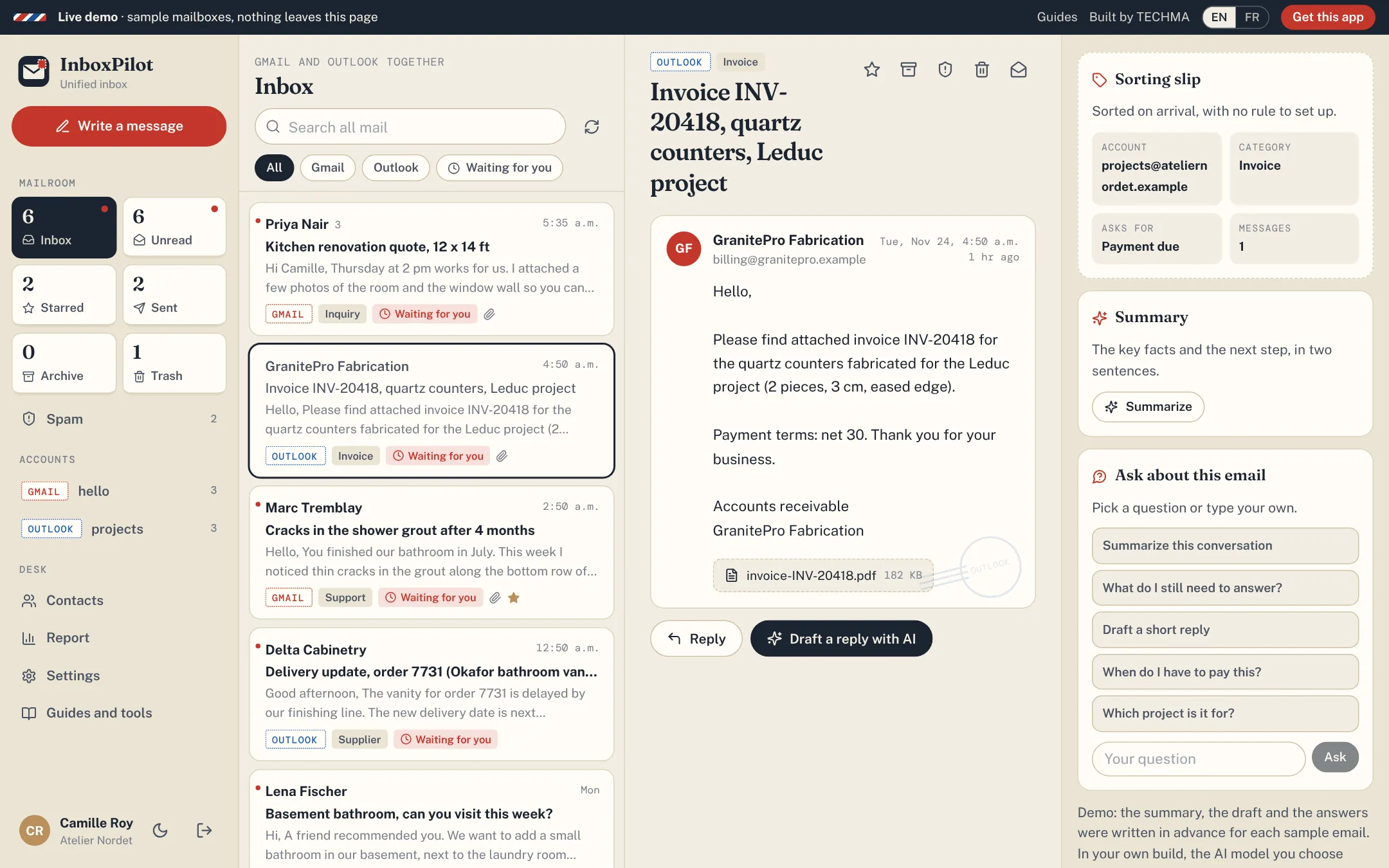
A draft in your tone, ready to send
Ask for a draft and edit it in place. The assistant follows your instructions: length, tone, what to always offer, how to sign.
- Reply drafts you always send yourself
- Questions answered from the email itself
- Your instructions, in plain words, in Settings
At the end of the week
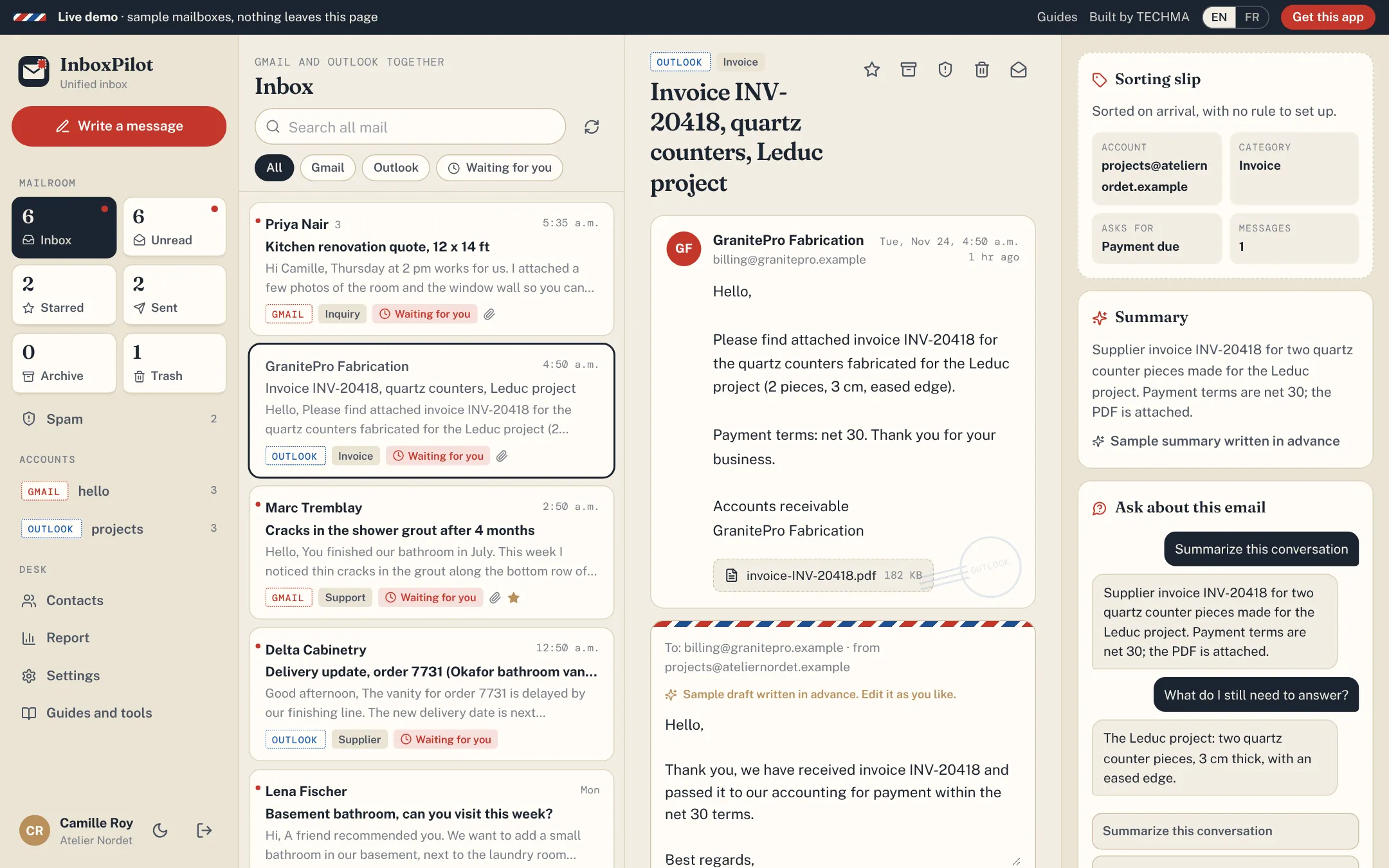
Who wrote, who waits, how fast you answer
Contacts and a report built from the mail itself: no list to keep up to date, no spreadsheet to fill.
- Mail per day, received and sent
- Everyone still waiting for an answer
- Your median time to a first reply
03The path
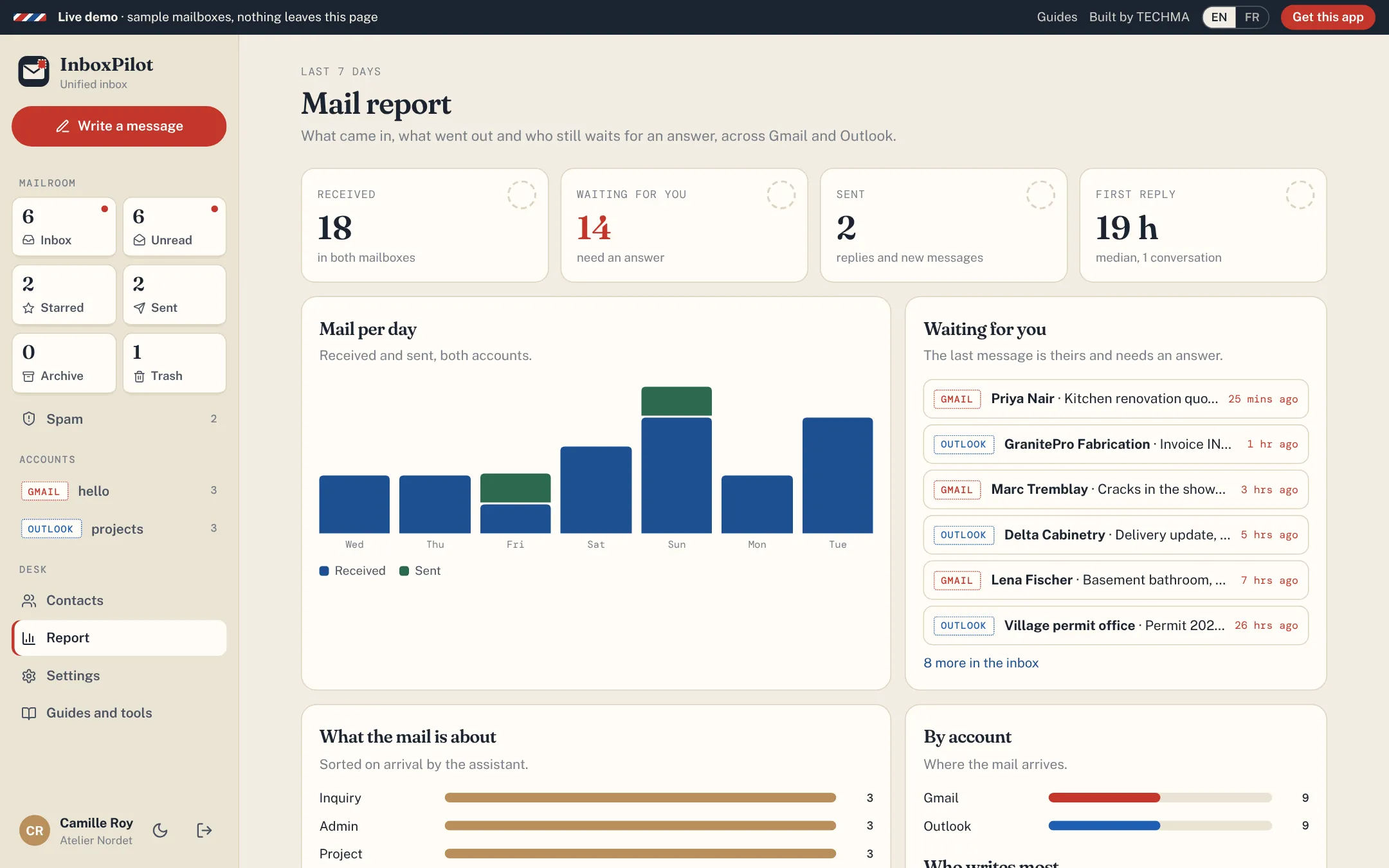
Four steps for every email
The same path for every message, whichever mailbox it arrived in.
- 1
Arrives
Gmail and Outlook mail lands in one list, stamped with its mailbox.
- 2
Sorted
The assistant sets a category and what the email asks for.
- 3
Understood
A summary, and answers to your questions about it.
- 4
Answered
A draft in your tone, edited and sent from the right address.
04The teams
Made for people who answer the mail themselves
Small businesses
An owner with two addresses and no assistant.
Read more02Contractors and trades
Quotes, site visits, suppliers and permits, between two job sites.
Read more03Agencies and studios
Many clients, many threads, a team that shares the mail.
Read more04Consultants and freelancers
A personal and a business address, and no one to sort them.
Read more05Real estate teams
Leads, visits and documents, answered before the next agent does.
Read more06Law and accounting offices
Document requests, deadlines and client questions, kept private.
Read more05The offer
This is real software. Your business can have it.
InboxPilot is one of the applications TECHMA has built for clients. If it fits how you work, there are three ways to get it.
Buy the source code
You get the code of the app and run it yourself.
On quote
- Full source code of the application
- Setup instructions for your developers
- Host it where you want
- No licence per user
TECHMA builds yours
We start from InboxPilot and shape it around your team.
On quote
- Your mailboxes, categories and assistant rules
- Shared mail and who handles what
- Connections to your CRM, accounting and calendar
- Training for your team
Managed for you
TECHMA hosts, updates and supports the app. You use it.
On quote
- Hosting, backups and updates included
- Support when something is unclear
- Changes made on request
- One monthly invoice
06The notes
From the mailroom
Managing Gmail and Outlook together
Three ways to stop checking two inboxes, and which one fits.
Read more02A ten-minute email triage
Read once, decide once: answer, plan, hand over or let go.
Read more03Answering email faster
Shorter replies, fixed times, and drafts for what comes back every week.
Read more07Free tools
Text builders, calculators and checklists
Small tools for the email questions everyone asks. Free, no account, and what you type stays in your browser.
Email Security Checklist
A practical email security checklist: two-step sign-in, SPF, DKIM and DMARC, phishing habits and AI tool access. Tick it off and print it. Free.
Read more02Email Signature Generator
Build a clean plain-text email signature with your name, title, phone and website. Copy it into Gmail or Outlook in one click. Free, nothing stored.
Read more03Email Subject Checklist
Check a business email subject for a clear ask, useful details, a suitable tone and mobile length. This free checklist helps you revise it before sending.
Read more04Email Time Cost Calculator
See how many hours a week and a year go into email, and what that time is worth at your own hourly figure. Free calculator, nothing stored.
Read more05Follow-Up Email Generator
Write a short, polite follow-up email when someone has not replied: the topic, the one thing you need and a date. Copy it into any mail app. Free.
Read more06Inbox Backlog Calculator
Work out how long it takes to clear the emails waiting in your inbox, how much time a day keeping up costs, and how many days it takes at your pace.
Read more08The library
Articles, definitions and comparisons
What we have written to help a busy inbox get organized, whether or not you end up using InboxPilot.
09From the blog
Fresh from the mailroom
Questions
Asked before the first call
What is InboxPilot?
A web application that brings a Gmail account and an Outlook account into one inbox. Each email is sorted by subject and by what it asks for, and an AI assistant summarizes conversations, drafts replies in your tone and answers questions about a message.
Can I try it without connecting my email?
Yes. The live demo opens in one click on the sample mailboxes of a fictional renovation studio. Nothing is sent, nothing is stored after your visit, and no email address is asked.
Is the AI real in the demo?
In the demo, the summaries, drafts and answers were written in advance for each sample email, so the demo costs nothing to run and never reads real mail. In your own version, an AI model of your choice writes them live, following your instructions.
Who built InboxPilot?
TECHMA designed and built it as a custom application for a client. The client's name and data are not shown. What you see is the same software with sample data and a new name.
Does it work with other mailboxes?
The app connects Gmail and Microsoft 365 or Outlook.com accounts. Other providers can be added through IMAP in a version built for you.
Is it available in French?
Yes. Every screen exists in English and in French, and the sample mailboxes too.
Can my business get this app?
Yes, in three ways: buy the source code, have TECHMA adapt it to your team, or let TECHMA host and manage it. The options are on the Get this app page; prices are on quote.
Live demo
Sort a real-looking inbox in two minutes.
InboxPilot is a working application, not a mock-up. Open a conversation, ask the assistant what it wants, draft a reply, send it, and watch the report change.