InboxPilot

InboxPilot/Features/AI reply drafts

A draft in your tone, you press Send

Ask for a draft under any email. It arrives in the reply box, ready to change, and nothing leaves until you send it.

One click, no account, no email address asked. The mailboxes are samples, and nothing you send leaves the page.

AI reply draftsinboxpilot.techma.ai
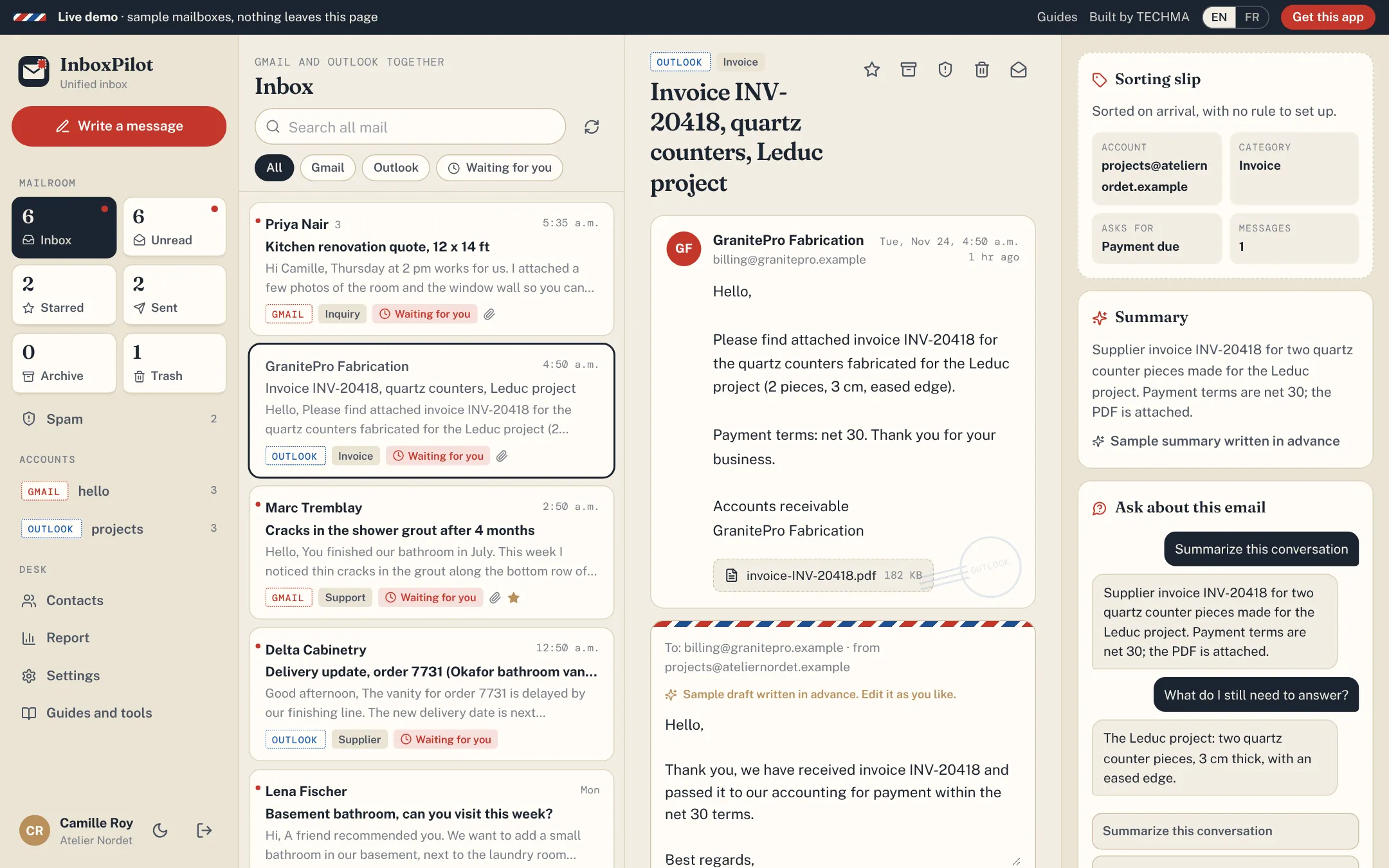
An AI reply draft in the InboxPilot reply box under a client's email

From the email, not from a template

The draft answers what this email asks: it confirms the visit on Thursday, says who does the electrical work, offers two dates. It uses what is in the conversation, not a canned text.

Your instructions

Settings holds the rules for drafts: warm and short, offer a date when a visit is needed, sign as Camille. Change them and the next drafts follow.

Always a person at the end

  • The draft opens in an editable box under the conversation
  • It leaves from the mailbox the email arrived in
  • Discard it and nothing is kept
  • There is no automatic sending

A plain Reply too

The usual Reply button stays, with your signature already in place, for the answers you prefer to write yourself.

Questions

Asked before the first call

Will the AI send emails without me?

No. The app never sends on its own. A draft is text in a box until you press Send.

Does it learn my style?

It follows the instructions you write. A version built for you can also be given examples of your past replies.

Live demo

Sort a real-looking inbox in two minutes.

InboxPilot is a working application, not a mock-up. Open a conversation, ask the assistant what it wants, draft a reply, send it, and watch the report change.