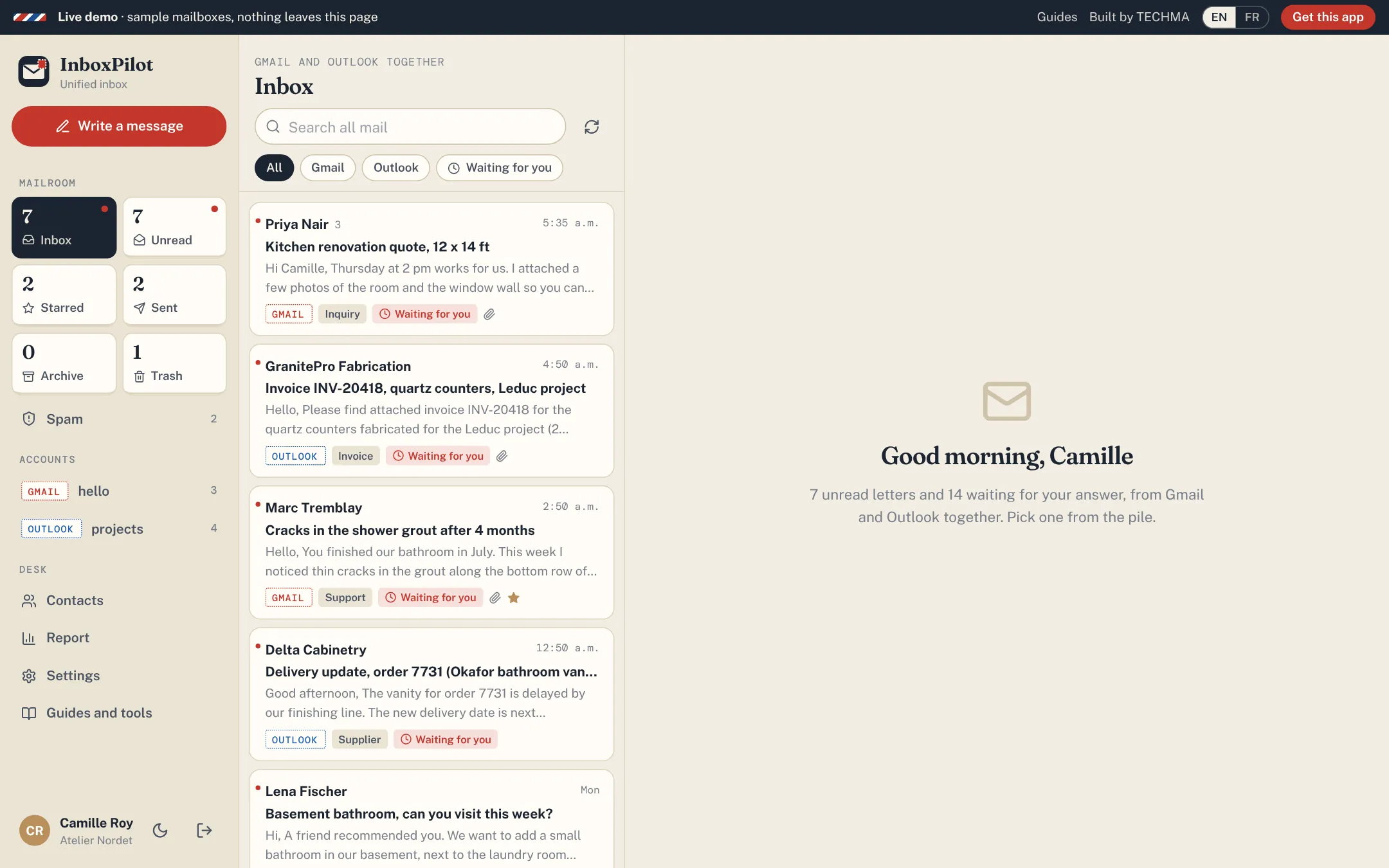
One list instead of two tabs
The inbox shows the conversations of both accounts together. Each line carries the sender, the subject, the first lines, the time, and a stamp: Gmail or Outlook.
Messages of the same conversation are grouped, with their number next to the sender. Unread conversations carry a red dot, like a letter not yet opened.
Pigeonholes for every folder
- Inbox and Unread, with their counts
- Starred, for what you want to keep in sight
- Sent, from both addresses
- Archive, Spam and Trash, with a way back
Each folder can show both accounts or one. A chip at the top of the list switches between All, Gmail and Outlook.
Answer from the right address
A reply leaves from the mailbox the email arrived in, so the client sees the address they wrote to. A new message lets you pick the sending account.
Turn a mailbox off for a while
In Settings, each mailbox has a switch. Turned off, its mail is hidden until you turn it back on, which is useful for a personal address you do not want to see during work hours.